Meta Ad Account Disabled? How to Recover It in 2026
Why do Meta accounts get restricted, and how can you solve it?
Your ads were running normally. Then suddenly: "Your ad account has been disabled." Or perhaps Meta tells you: "You're restricted from advertising." Or: "We noticed unusual activity, so we've disabled your ad account." These messages look similar, but they do not necessarily mean the same thing. And that distinction matters. An ad account restriction, personal advertising restriction, Business Portfolio restriction and payment restriction can require different recovery paths. So before opening another support ticket, creating another account or changing your credit card again, identify exactly what Meta restricted.
Meta Ad Account Disabled? Start Here
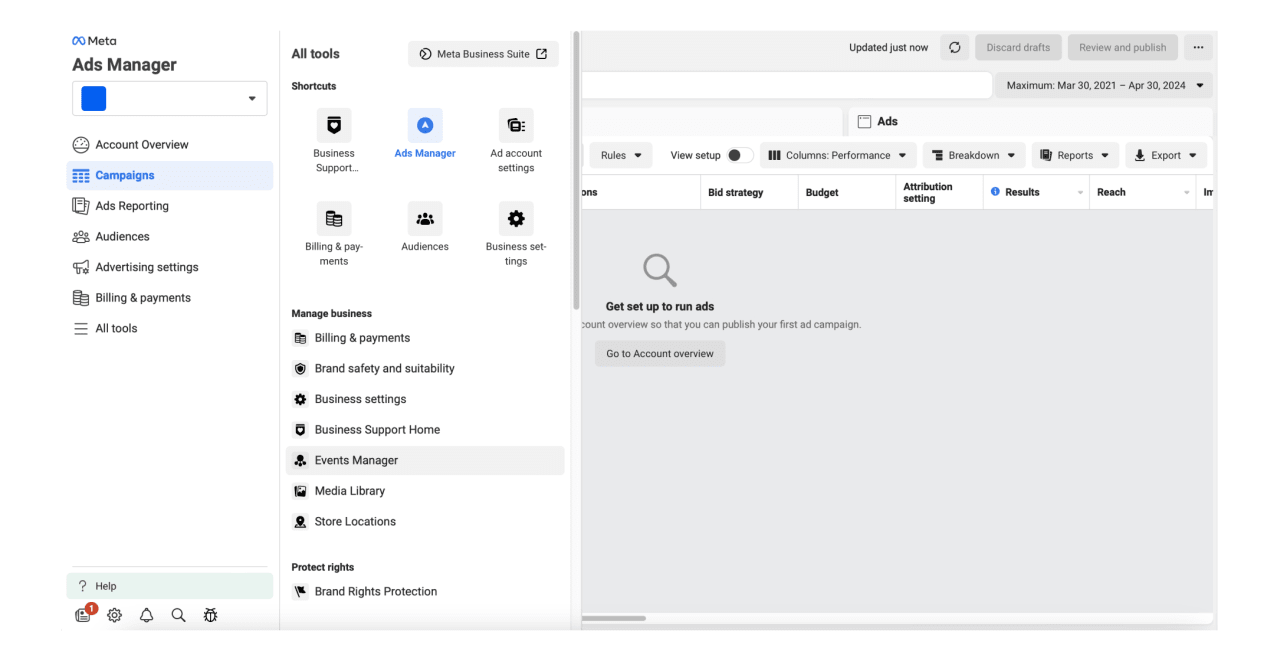
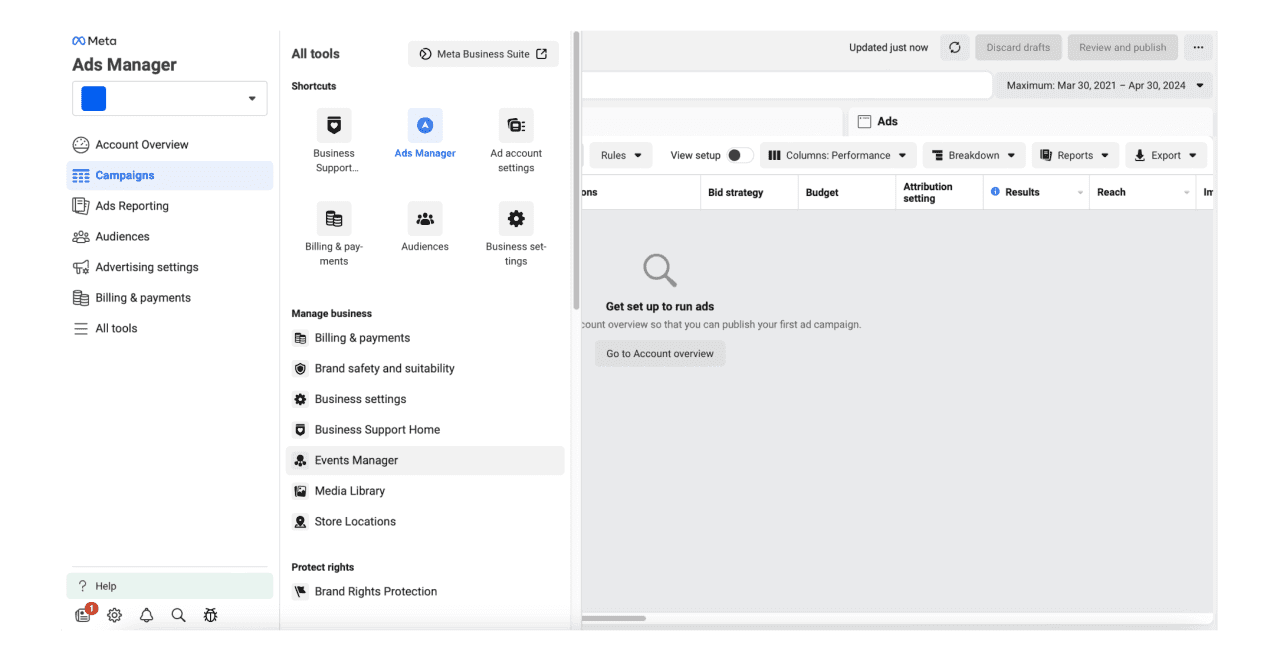
Open your Meta Business Support Home or Account Quality section and identify the asset showing the restriction.
Selected clients, published with permission. More references will be added after approval.
Open the restriction details and read Meta's stated reason
"Advertising access restricted"
Your personal Facebook advertising permissions
Check identity, security and policy requirements
"Business Portfolio restricted"
The business itself
Review business verification, ownership and policy issues
"Payment account disabled" or "unusual activity"
Billing or payment system
Check outstanding balances, payment method and verification
You cannot log into Facebook
Personal Facebook profile
Secure or recover the personal account first
Ads rejected but account still active
Individual advertisements
Fix the advertisement or landing page rather than treating it as an account ban
Unknown admins or campaigns appear
Possible account compromise
Secure the account immediately before appealing
The first mistake many advertisers make is trying to solve the wrong problem.
If your personal advertising access is restricted, appealing an individual ad account may not solve it.
If your payment account is blocked, rewriting your ad creative may accomplish nothing.
Diagnose first.
Why Did Meta Disable My Ad Account?
Meta can restrict advertising access for several reasons.
Common categories include advertising policy violations, suspicious account activity, payment problems, incomplete verification, compromised accounts, unusual business activity and attempts to evade enforcement.
Sometimes the cause is obvious.
Sometimes it is not.
Advertisers regularly report being restricted while believing they followed Meta's policies correctly.
That does not automatically mean Meta made a mistake. It also does not automatically mean the advertiser intentionally violated a rule.
Automated enforcement can produce situations that require manual review.
The important question is therefore not:
"Why does Meta hate my account?"
It is:
"What exact reason has Meta recorded for this restriction?"
Take a screenshot of the restriction message before changing anything.
You may need that information later.
How to Recover a Disabled Meta Ad Account
The safest recovery process is simple in principle:
Diagnose → Repair → Review → Escalate
Skipping the repair stage is one of the biggest mistakes advertisers make.
Step 1: Find the exact restriction
Open Meta Business Support Home or Account Quality.
Identify:
the affected asset, the stated reason, the date of the restriction and any actions Meta asks you to complete.
Do not rely only on the email notification.
Check what Meta currently shows inside the business account itself.
Step 2: Fix the underlying problem first
Do not immediately click every appeal button available.
If Meta detected a payment problem, resolve the billing issue.
If verification is incomplete, complete it.
If the account may have been compromised, secure it.
If an advertisement or landing page violated policy, correct it.
If Meta asks for identity or business documentation, prepare accurate documentation that matches the information associated with your business.
Then request review.
Step 3: Request a review
Where Meta provides a Request Review option, submit a factual explanation.
Do not write an emotional essay.
Do not threaten Meta.
Do not claim that you "did absolutely nothing wrong" unless you have actually investigated the account.
A useful appeal is closer to this:
Our advertising account was restricted on [date]. We reviewed the reason shown in Business Support Home and checked our account, payment information, business details and advertisements. We corrected [specific problem, if applicable]. We believe the account is now compliant and request a manual review. Ad account ID: [ID]. Business Portfolio ID: [ID]. We can provide additional verification if required.
Specific information is more useful than frustration.
Step 4: Wait for the review result
Review times vary.
Do not build your business plan around somebody on Reddit saying their account returned in two hours or another advertiser saying it took several weeks.
Those are individual experiences, not guarantees.
Also pay attention to any appeal deadline Meta displays in your account.
Different enforcement situations can show different deadlines.
Meta Says "We Noticed Unusual Activity"
Payment-related restrictions deserve their own diagnosis because they can look like policy bans.
You may see a message similar to:
"We noticed some unusual activity, so we've disabled your ad account."
Start by checking:
Check
What you are looking for
Outstanding balance
Failed or unpaid Meta charge
Card status
Expired, blocked or rejected card
Billing information
Name, country or details that do not match
Recent spending
Sudden unusual changes in spend
Account access
Unknown login or administrator
Payment changes
Multiple payment methods added or removed quickly
If an outstanding balance exists, resolve it.
If your bank declined Meta's transaction, investigate the decline with the bank instead of repeatedly cycling through cards.
Repeatedly changing cards while the account is already under review can make the account history more complicated.
Facebook Ads Disabled in Morocco: Check the Payment Layer Carefully
The enforcement process itself is not fundamentally different because your business is Moroccan.
The practical difference is often payments.
A Moroccan advertiser can have a perfectly legitimate campaign and still encounter problems because the bank blocks an international transaction, the card has an online or international payment limitation, or billing details are inconsistent.
If your Meta ad account is disabled after a failed payment, separate these two questions:
Did Meta restrict us because of advertising policy?
and
Did the payment simply fail?
They are not the same problem.
Before replacing the payment method, verify that your card supports the required transaction, confirm available limits with your bank, clear any outstanding Meta balance and ensure your billing information is accurate.
If Meta specifically asks you to verify the payment method, follow that verification process.
Do not use questionable virtual cards, purchased payment profiles or third-party accounts to "fix" a restriction.
A temporary workaround can create a much larger account problem.
Does Meta Verified Help Recover a Disabled Ad Account?
Sometimes it can help you reach support.
That is not the same as guaranteeing account recovery.
This distinction is important.
Meta Verified includes enhanced support benefits for eligible subscribers, although the exact support features available can depend on the account and subscription.
Some advertisers report successfully reaching a human after subscribing.
Others report that Instagram support could not intervene in a Facebook or advertising enforcement case and redirected them to another support channel.
Therefore:
Meta Verified can improve your access to support. It does not create a guaranteed Meta ad account recovery path.
Do not subscribe because someone promises that paying for a blue badge automatically unlocks banned advertising accounts.
It does not.
Can I Contact a Real Person at Meta?
Sometimes.
Available support channels vary by account, market, business history and Meta products.
Depending on your account, you may see options such as support chat, email support, case creation, Meta Verified support or contact with an assigned Meta representative.
If you obtain human support, prepare your case before opening the conversation.
Have your Facebook profile URL, Business Portfolio ID, ad account ID, screenshots, exact restriction message, timeline and relevant documentation ready.
Then explain three things:
What happened. What you checked or corrected. What you need Meta to review.
That produces a cleaner escalation than:
"MY ACCOUNT IS BANNED PLEASE FIX."
Should I Keep Opening Meta Support Tickets?
There is no credible evidence that opening dozens of identical tickets automatically improves your chances.
One Reddit advertiser jokingly described opening an enormous number of tickets before eventually being reinstated.
That is an anecdote, not a strategy.
Repeated requests can also create duplicated cases and conflicting support conversations.
A better rule is:
Submit one complete case.
Keep the case number.
Provide additional evidence when something has changed.
Escalate through legitimate support channels when available.
Can I Create Another Ad Account After Meta Disabled Mine?
Be extremely careful here.
There is an important difference between legitimate business continuity and attempting to evade Meta enforcement.
Creating new business assets specifically to bypass an existing enforcement action can create additional restrictions.
For example:
Your ad account is disabled for a policy violation.
You immediately create another Business Portfolio.
You copy the same ads.
You use another payment method.
You begin advertising again without resolving the original restriction.
That can look like an attempt to evade enforcement.
Do not treat "create another Business Manager" as a universal Meta Ads recovery strategy.
If your company already operates legitimate multiple ad accounts or administrators, first determine exactly which asset Meta restricted and whether unaffected assets are genuinely allowed to continue advertising.
When uncertain, resolve or clarify the original restriction first.
Should You Buy an Aged or "Warmed" Business Manager?
No legitimate business should make this its default recovery strategy.
Advertisers on forums sometimes recommend buying aged Facebook profiles, Business Managers or "warmed" advertising accounts.
The theory is simple:
Older account = more trust.
The reality is much more dangerous.
You may not know who originally controlled the account, what advertisements were previously run, what payment methods or devices are associated with it, whether the seller will retain access, or whether the asset itself already carries enforcement risk.
More importantly, purchasing another account to avoid a restriction does not solve the original compliance problem.
If someone promises:
"Guaranteed unban."
"Secret Meta employee."
"Permanent agency account."
"100% safe Business Manager."
Treat the claim as a major warning sign.
What If a Former Employee or Agency Controls the Business Manager?
This is a different problem.
It is an ownership and access problem, not necessarily an advertising-policy violation.
Suppose a former employee created the company's Meta Business Portfolio using their own credentials and then left the company.
Deleting them from a WhatsApp group does not transfer ownership of the company's digital infrastructure.
The business may need to establish its legitimate relationship to the assets and recover administrative control through Meta's business support procedures.
Expect to document the relationship between the company, domain, payment history and business assets.
This is one reason Coremedia uses an ownership-first principle when structuring client advertising infrastructure:
The client's accounts, data and advertising assets should belong to the client.
The agency should receive access.
The agency should not become the owner of infrastructure the client depends on.
What If My Facebook Account Was Hacked?
Security comes before advertising recovery.
If an attacker gained access to your Facebook account or Business Portfolio, submitting an ad-account appeal while the attacker still has access addresses the wrong problem.
Secure the environment first.
Change compromised credentials, enable two-factor authentication, review active sessions, check administrators, inspect payment information and look for campaigns or assets you do not recognize.
Then address the advertising restriction.
What Real Advertisers Say About Meta Account Recovery
Community discussions show why there is no single magic recovery technique.
Some advertisers report being restored after reaching Meta through support.
Some say Meta Verified gave them access to a useful support conversation.
Others say Meta Verified support could not escalate the problem.
Some recovered after a Meta representative escalated the case.
Others waited weeks or months.
Some accounts were eventually acknowledged as having been disabled incorrectly.
And some advertisers never recovered their original account.
These experiences are useful because they show what can happen.
They should not be treated as official Meta policy.
That distinction is central to this guide:
Official Meta procedure tells you what you are supposed to do. Community experience tells you what advertisers report happening after they do it.
Those are different evidence levels.
The Coremedia Meta Recovery Triage Framework
When we examine a Meta advertising setup, we use a diagnostic approach rather than immediately treating every problem as an appeal problem.
What underlying policy, security, verification or payment problem exists?
REQUEST
Has the correct administrator submitted the correct review?
ESCALATE
Is a legitimate support or representative channel available?
PROTECT
What unaffected infrastructure can legally continue operating?
HARDEN
How do we reduce the probability and impact of another restriction?
The point is not to find a "hack."
The point is to understand the system.
How Coremedia Audits Meta Ad Account Risk
We manage advertising as infrastructure, not simply as campaigns.
That matters because campaign performance is worthless if a company loses control of the infrastructure producing it.
Coremedia has publicly documented advertising work including reducing cost per lead from 480 MAD to 180 MAD on a B2B lead-generation project and achieving 4.8x ROAS on a Meta and Google e-commerce project.
Results like these depend on account continuity.
That is why a Meta Ads audit should examine more than CTR and cost per lead.
Audit area
What we check
1. Account status
Existing restrictions and Account Quality
2. Business ownership
Who actually owns the Business Portfolio
3. Administrator access
Current and former administrators
4. Two-factor authentication
Security across privileged users
5. Business verification
Whether company information is consistent
6. Domain ownership
Correct ownership and access
7. Payment stability
Billing history and payment-method consistency
8. Pixel and CAPI ownership
Who controls tracking infrastructure
9. Policy history
Rejections and previous restrictions
10. Backup access
Whether one employee is a single point of failure
11. Agency boundaries
Client ownership versus agency access
12. Documentation
Account IDs, invoices, domains and access records
The objective is not to promise that Meta will never restrict an account.
Nobody can credibly promise that.
The objective is to prevent avoidable failures and make recovery much easier if something happens.
What to Do After Meta Restores Your Ad Account
Do not simply turn every campaign back on and forget what happened.
Treat the restriction as an infrastructure incident.
Find the root cause.
Review who has access.
Secure the account.
Check billing.
Confirm business and domain ownership.
Document your advertising assets.
Review rejected ads and landing pages.
Then restart campaigns carefully.
Meta may restore advertising access, but according to Meta guidance, previously stopped campaigns may require you to reactivate them manually.
Frequently Asked Questions
How do I get my disabled Facebook ad account back?
First identify exactly which asset Meta restricted in Business Support Home or Account Quality. Fix the underlying issue, then use the Request Review option when available. Do not create new accounts simply to avoid the restriction.
Why was my Meta ad account disabled for no reason?
There may be a reason recorded internally even when the notification is vague. Check the restriction details for payment, security, verification, advertising policy or business-level issues. False positives are possible, but investigate before assuming that is what happened.
How long does a Meta ad account appeal take?
There is no recovery time you should treat as guaranteed. Some cases are resolved quickly, while complicated verification or business-access problems can take considerably longer. Follow the status shown in your support case.
Can a permanently disabled Meta ad account be recovered?
Some advertisers have documented cases where accounts described as permanently disabled were later restored, including cases where Meta acknowledged an error. That does not mean every permanent restriction is reversible.
Does Meta Verified recover disabled Facebook ad accounts?
Meta Verified may provide enhanced support access for eligible accounts. It does not guarantee reinstatement of an advertising account.
How do I talk to a human at Meta?
Check the support options available inside your Business Support Home, professional dashboard or Meta Verified subscription if applicable. Support availability varies between users and accounts.
Should I create a new Facebook ad account after being disabled?
Not as a method of avoiding enforcement. Creating new assets to evade an existing Meta restriction can lead to additional restrictions. Diagnose and resolve the original issue first.
Can the same card be used on multiple Meta ad accounts?
Do not assume that sharing a card automatically causes a ban. Community reports suggest payment relationships can form part of Meta's broader risk signals, but that is not the same as proving that one shared card directly causes account suspension.
My Meta payment method was disabled. What should I do?
Check for failed charges, outstanding balances, incorrect billing information, bank declines and account-security issues. Resolve the payment problem and complete any verification Meta requests before repeatedly changing payment methods.
Can an agency guarantee recovery of my Meta ad account?
No credible agency can control Meta's enforcement decision.
Be cautious with anyone offering guaranteed reinstatement, insider access or a paid "backdoor."
An agency can audit the account, identify structural problems, help prepare documentation and guide you through legitimate recovery paths.
It cannot force Meta to restore the account.
The Bottom Line
If your Meta ad account is disabled, do not start by looking for a workaround.
Start by identifying the restriction.
Then:
Diagnose the affected asset. Fix the underlying problem. Submit the correct review. Escalate only through legitimate channels. Protect the business from the same failure happening again.
There is no universal Facebook Ads unban button.
There is a correct diagnostic process.
And for businesses that depend on Meta Ads for leads and revenue, account structure, ownership, security and documentation should be treated as seriously as campaign performance.
Need a Second Pair of Eyes?
Coremedia manages Meta advertising systems for businesses in Morocco and international markets.
If your Meta advertising infrastructure is restricted, unstable or badly structured, we can audit the setup, identify account, tracking, ownership and payment risks, and show you what should be corrected.
We do not sell "guaranteed Meta account recovery."
We help you understand the problem before you make it worse.